Where to find drawing tools
Drawing tools in Clip Studio Paint are split into several categories: Pen, Pencil, Brush, Airbrush, Decoration, Eraser, and Blend.
You can use these tools to draw and paint on raster and vector layers.
Memo | For Figure tools and lines drawn with control points, please see "Figures and Shapes". |
The main palettes for drawing and painting are shown below:
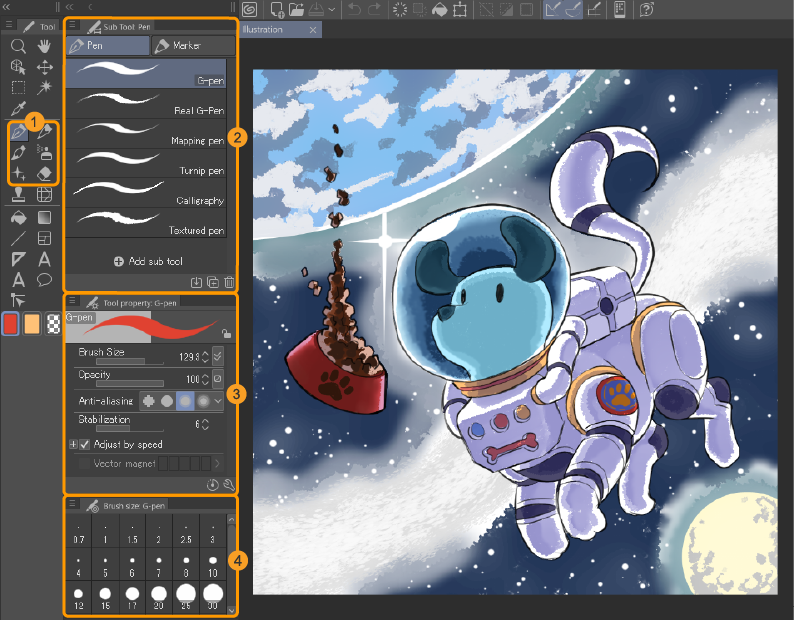
(1)Drawing tools
Drawing tools are grouped into different tool categories here. You can find pens and brushes, erasers, and blending tools.
(2)Tool Group palette
Brush and pen tools are listed here. For some drawing tools, they are grouped into tabs.
(3)Tool Settings palette
Customize settings of the drawing tool, such as brush size, opacity, and blending mode.
(4)Brush size palette
Shortcuts for quickly changing the brush size.