Curved lines
Select the Figure tool > Direct draw group > Curve.
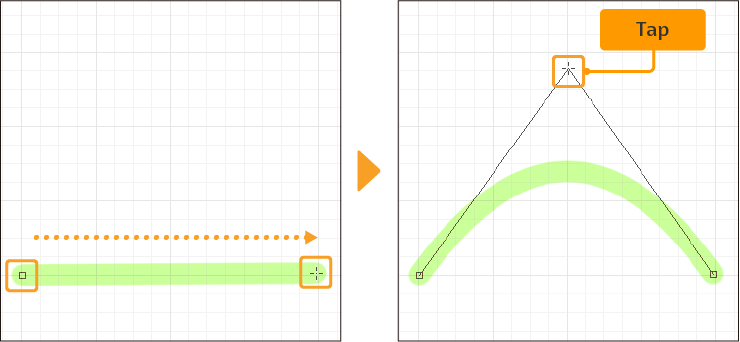
Drag the tool from the start position and release to confirm the end position. Then, move the cursor to adjust the shape of the curve. Tap or click to confirm the shape.
Select the Figure tool > Direct draw group > Curve.
Drag the tool from the start position and release to confirm the end position. Then, move the cursor to adjust the shape of the curve. Tap or click to confirm the shape.